
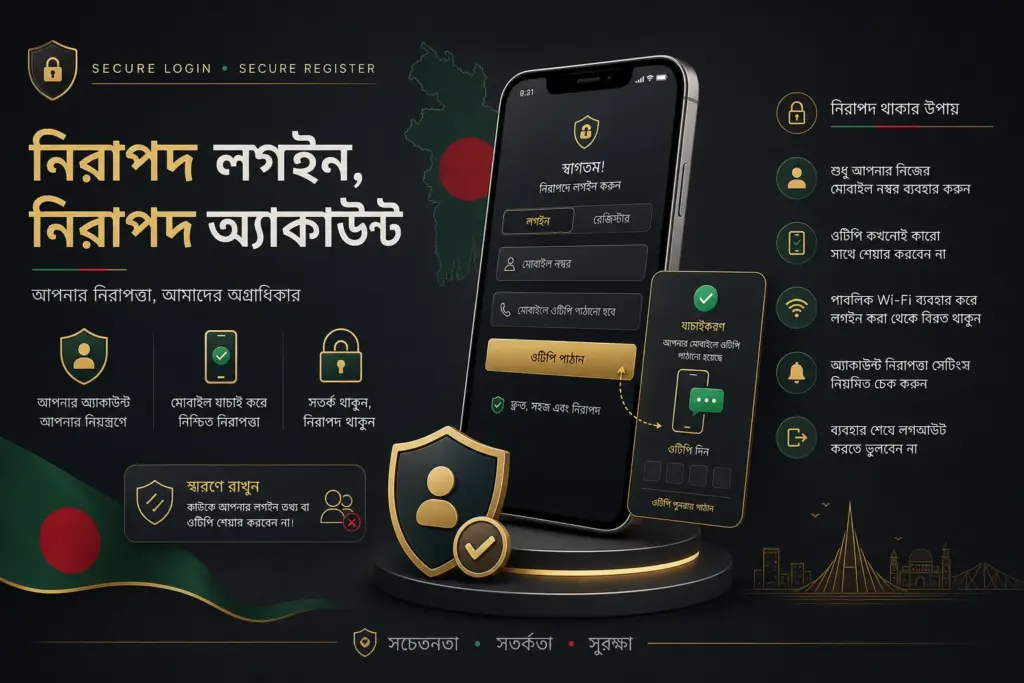
Before logging in to UUOK, check the domain spelling, secure connection, device ownership, password privacy, and OTP readiness. Even if the login page opens quickly, a shared device, saved password, VPN route, or browser cache may show incorrect access signals.
This page does not teach login bypass and does not advise avoiding KYC or security verification. The goal is to understand what common reasons to look for if there are account access issues, how to protect private information, and in which cases one should patiently check the verification status.
Security checks before logging in to UUOK
Before opening the login form, check the URL spelling, HTTPS, browser address bar, and page design. Copied pages or phishing pages may sometimes use logos similar to the real brand. Before entering your password, ensure you are using your own device and not accessing sensitive information from public Wi-Fi or a shared computer.
If using a password manager, check which domain the saved credentials are auto-filling. If it auto-fills in the wrong domain, that is a warning signal. Do not send OTP, PIN, or password in any chat, comment, or phone call.
- Check the URL spelling and HTTPS.
- If using a shared device, keep saved passwords disabled.
- Using a VPN or proxy may cause page load issues.
- If there is a delay in receiving OTP, do not request repeatedly.
UUOK Login Problem: OTP, Password, and Page Load Issue
If OTP does not arrive, check the phone number, SMS block, network strength, request interval, and device message settings. Sometimes, requesting OTP multiple times at once increases the delay. If there is a wrong password error, check caps lock, saved password, recent reset, and keyboard language.
If there is a page load issue, check the browser cache, DNS, mobile data, Wi-Fi, VPN, and app version. If one access method does not work, switching the browser/app can be checked first, but repeatedly submitting private credentials is not advisable.
| Issues | possible causes | Safe steps |
|---|---|---|
| OTP not received | SMS delay or number mismatch | Please wait, check the number |
| Wrong password | saved password or recent reset | Use the forgot password flow |
| Page loading | cache, VPN, network | Check by changing browser/App |
What to do if UUOK Forgot Password
If using Forgot Password flow, open the reset link or OTP only on your own phone/email channel. Do not request a reset from someone else's device or social inbox. After resetting, remove the old saved password and change it if the same password is used on another site.
If an extra fee, wallet PIN, or document screenshot is requested during password reset, it is not a normal reset process. Account recovery and payment support are separate issues; do not combine them.
What to check if UUOK Account Locked or Verification Pending
Account may be locked due to repeated wrong password, suspicious device, incomplete KYC, duplicate account signal, or security review. In this situation, instead of trying to bypass, check the error message, email/SMS notice, KYC status, and recent activity.
If verification is pending, document clarity, name match, phone/email ownership, and age check may be important. Using borrowed documents or wrong phone makes recovery difficult. There are separate instructions on account preparation on the Register page.
UUOK Mobile Login and Browser Access
When logging in via Mobile, App permission, browser cache, saved password, keyboard auto-correct, and network handover can cause issues. If there are problems with the Android App, check the status via the browser; if there are issues with the browser, check for App updates or cache.
Whatever access method you use, keep OTP/PIN/password private. After a successful login, check the account name, KYC status, and responsible gaming limit before taking Payment or Bonus action.
Related pages and next steps
- UUOK Bangladesh main access guide
- Verify UUOK App source
- UUOK Register and KYC preparation
- Understanding UUOK Payment boundary
- UUOK Login Problem details
Practical methods to isolate login issues
If you see a login problem, first write down the error message. If OTP does not arrive, it is not a password problem; if it shows wrong password, it is not a network problem; if the page does not load, it may not be account locked. By differentiating the type of problem, unnecessary resets, repeated OTP requests, and security locks decrease.
Before using the same credentials on both mobile browser and App, ensure the domain spelling is correct. If using a shared device, private tab, logout, and remove saved passwords are necessary. If the old password is not deleted from the browser after resetting, wrong credentials may auto-fill again.
If verification is pending, patience is required. Repeated login attempts during KYC or account review can negatively impact account signals. Instead of looking for a bypass, reading the document match note on the Register page and the safe message boundary on the Contact page is more effective.
Frequently asked questions
<!– wp:yoast/faq-block {"questions":[{"id":"faq-question-b6647d2bdd-0","question":["What should I check before logging into UUOK?"],"answer":["Check URL spelling, HTTPS, device ownership, saved password, OTP access, and browser/App source.
“],”jsonQuestion”:”What should I check before logging into UUOK?”,”jsonAnswer”:”Check URL spelling, HTTPS, device ownership, saved password, OTP access, and browser/App source.”},{“id”:”faq-question-8baddb6e2c-1″,”question”:[“What should I do if I don't receive OTP?”],”answer”:[“Check network, SMS block, phone number, request interval, and device message setting; do not request repeatedly.
“],”jsonQuestion”:”What should I do if I don't receive OTP?”,”jsonAnswer”:”Check network, SMS block, phone number, request interval, and device message setting; do not request repeatedly.”},{“id”:”faq-question-cb41aaa402-2″,”question”:[“How to proceed if I forgot my password?”],”answer”:[“Reset using your own phone/email channel, remove the old saved password, and do not share OTP with anyone.
“],”jsonQuestion”:”How to proceed if I forgot my password?”,”jsonAnswer”:”Reset using your own phone/email channel, remove the old saved password, and do not share OTP with anyone.”},{“id”:”faq-question-48988f6e21-3″,”question”:[“What should I check if my account is locked?”],”answer”:[“Check for wrong password attempts, device changes, KYC status, duplicate account signals, and system notices.
“],”jsonQuestion”:”What should I check if my account is locked?”,”jsonAnswer”:”Check for wrong password attempts, device changes, KYC status, duplicate account signals, and system notices.”},{“id”:”faq-question-6691b143f4-4″,”question”:[“Can using a VPN cause login issues?”],”answer”:[“Yes, a VPN or proxy can change page load or verification signals.
“],”jsonQuestion”:”Can using a VPN cause login issues?”,”jsonAnswer”:”Yes, a VPN or proxy can change page load or verification signals.”},{“id”:”faq-question-2092fa6c28-5″,”question”:[“What should I do if I log in on a shared device?”],”answer”:[“Logout, remove saved passwords, clear browser history/cache, and ensure OTP privacy.
“],”jsonQuestion”:”What should I do if I log in on a shared device?”,”jsonAnswer”:”Logout, remove saved passwords, clear browser history/cache, and ensure OTP privacy.”},{“id”:”faq-question-89f47f2921-6″,”question”:[“Is Mobile browser login different from App login?”],”answer”:[“Access methods are different, but the rules for password, OTP, and domain verification remain the same.
“],”jsonQuestion”:”Is Mobile browser login different from App login?”,”jsonAnswer”:”Access methods are different, but the rules for password, OTP, and domain verification remain the same.”},{“id”:”faq-question-a170284087-7″,”question”:[“Can I log in if KYC is pending?”],”answer”:[“It depends on the platform rule; account actions may be limited if the status is pending.
“],”jsonQuestion”:”Can I log in if KYC is pending?”,”jsonAnswer”:”It depends on the platform rule; account actions may be limited if the status is pending.”}]} –>Check URL spelling, HTTPS, device ownership, saved password, OTP access, and browser/App source.
Check network, SMS block, phone number, request interval, and device message setting; do not request repeatedly.
Reset using your own phone/email channel, remove the old saved password, and do not share OTP with anyone.
Check for wrong password attempts, device changes, KYC status, duplicate account signals, and system notices.
Yes, a VPN or proxy can change page load or verification signals.
Logout, remove saved passwords, clear browser history/cache, and ensure OTP privacy.
Access methods are different, but the rules for password, OTP, and domain verification remain the same.
It depends on the platform rule; account actions may be limited if the status is pending.